
PARAMETRIC · 3D · STEP / STL / 3MF
Round PipeROUND PIPE
Enter outer diameter, wall thickness and length to generate a round tube and download STEP, STL or 3MF.
- OutputSTEP · STL · 3MF · DXF
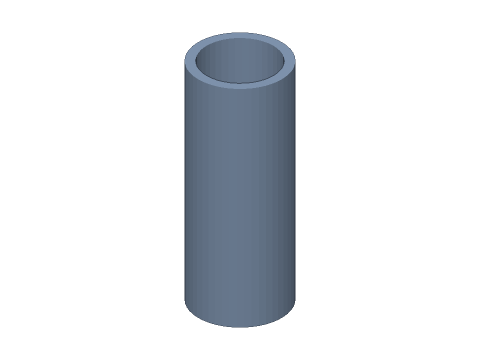
LIVE · ROUND PIPE
⌀20 × t2 × 50
SCALE 1:1 · mm
Loading CAD kernel…
Drag to rotate · scroll to zoom · right-drag to pan
CALCULATED · SPEC
AUTO-COMPUTED
di
16.00mm
Inner diameter
A
113.1mm²
Section area
HOW-TO
How to generate a round pipe STEP / STL file
- 1Enter the dimensions — the 3D view updates instantly.
- 2Check the spec cards and warnings.
- 3Download STEP, STL or 3MF, or send to Orinovate for a quote.
Specs at default parameters
| Parameter | Value | Range |
|---|---|---|
| Outer diameter (D) | 20 mm | 1–1000 |
| Wall thickness (t) | 2 mm | 0.2–200 |
| Length (L) | 50 mm | 0.5–2000 |
| Inner diameter (di) | 16.00 mm | — |
| Section area (A) | 113.1 mm² | — |
FAQ
Which software opens the round pipe STEP file?
STEP (AP214) opens in Fusion 360, SolidWorks, FreeCAD, Onshape and Rhino. STL / 3MF import directly into Bambu Studio, PrusaSlicer or Cura.
Is it free?
Yes — no sign-up, no fees. Need a physical part? Send it to Orinovate for an instant quote.
Related generators
Need a physical part?
Send the model straight to Orinovate's instant quote: FDM, SLA, SLS, MJF, metal printing and CNC, made in Hsinchu, Taiwan.
About STEP / STL / 3MF / DXF
- STEP (.step / .stp, AP214) keeps exact dimensions and surfaces for editing in Fusion 360, SolidWorks or FreeCAD.
- STL and 3MF are triangle meshes that import directly into Bambu Studio, PrusaSlicer or Cura.
- DXF is the top-view 2D outline, ready for laser cutting, waterjet or CNC routing.
- All models are in millimetres at true scale.